I added Dominik’s exclude option is the gallery shortcode. This option is a comma separated list of images, by order number, which should not show in the gallery. Example: exclude=”1, 3, 4″
Plugin’s WordPress Page | Download plugin

Peggy and Justin’s various endeavors
I added Dominik’s exclude option is the gallery shortcode. This option is a comma separated list of images, by order number, which should not show in the gallery. Example: exclude=”1, 3, 4″
Plugin’s WordPress Page | Download plugin
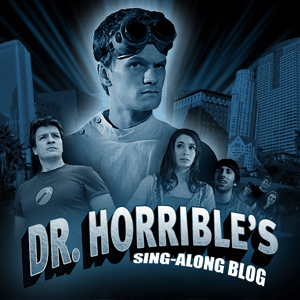
So I watched it online, and then I also bought it on iTunes, and have watched it several more times. I’m really digging Dr. Horrible. I did a quick search and came up with this site for the lyrics.
Enjoy.
Doing my part to further the cause of free goodness on the interwebbernet (thank Ask A Ninja for that), I add this link to Joss Whedon’s upcoming project, airing the 15th to 20th of July.
Come on, it’s got Mal and Dougie!
When I went to pick up my allergy meds today, I got a little sticker shock; 2 one-month supplies, $215. You see, I don’t currently have health insurance nor prescription coverage. When I did, these prescriptions cost me $20. When I told the cashier/pharm-tech who was helping me this, she looked at me in astonishment, then said “Let me see what I can do.” She did a little computer magic and came back with a total price of $175, better but not great. But as I told her, “I have allergies and no insurance, so I guess I’m paying it.”
I recalled a few years back that I had a prescription discount card that paid for some of the costs, so I hopped online and googled around. I very easily found sites for prescription plans, but they all seamed a bit shady. Finally I came to an informational site, NeedyMeds.com, that didn’t seem to be directly selling anything, and very quickly found the Oregon Prescription Drug Program. Upon comparison of participating pharmacies and quoted prices for the allergy meds with some of the other prescription discount sites, the OPDP plan seems the best for me. Once I get my card next week, the quoted total price for my allergy meds should be $100, not great, but thats $125 off the original price, which after a few months is the price of a Wii.
I just updated Gallery Plus to version 1.1.0, and added some new features. The changes are as follows:
The [ gallery_excerpt ] shortcode has several options:
For more information about shortcodes, go to the Using the gallery shortcode.
Also, In the initial post about Gallery Plus, I did not mention the additional options to the [ gallery ] shortcode. Both options default to the settings on the Gallery Plus options page.
NOTE: all shortcode tags shown above have additional spaces between the brackets and text that should not be in your use of the shortcodes.
Plugin’s WordPress Page | Download plugin
The built-in WordPress gallery has some options that are accessable through the use of shortcodes, but if you do not know them or the proper input they can be hard to use. Similarly, there is now wat to make system wide changes without having to use shortcodes on all your galleries. This plug-in creates an options page for some of those shortcodes along with adding other features that can extend the gallery’s functionality.
Q: What does Link Images To Full Resolution: do?
A: The default gallery creates links to posts with a medium-sized image with a link in it to the full resolution image. This option cuts out the middle step, and directs the links directly to the full resolution image. This can be very useful in congunction with the Insert “rel=…” Attribute In Link: option to get lightbox working properly.
Q: What does Insert “rel=…” Attribute In Link: do?
A: For javscript image overlay packages such as Lightbox to work properly, the links to images must have an attribute that tells the overlay to turn on. Changing this selection will add the appropriate attributes where needed. I know that the latest version of Lightbox 2 also does this, but it does not work well for galleries without modifying that plugin’s code. THIS PLUGIN DOES NOT INSTALL ANY OVERLAY PACKAGES.
Q: When I change Insert “rel=…” Attribute In Link: to lightbox nothing happens. Why?
A: As I said above, this plugin does not install any overlay packages, and those need to be installed independently. I personally use a modified version of the Lightbox 2 plugin.
Plugin’s WordPress Page | Download plugin
Following is how we voted on some of the Candidates/Measures (& How Oregonians voted):
US President – Baraka Obama
US Senate – (Justin) Jeff Merkley, (Peggy) Steve Novick
US Representative, 3rd Dist. – Earl Blumenauer
Secretary of State – Kate Brown
Attorney General – Greg Macpherson (John Kroger)
State Representative, 23rd Dist. – Jackie Dingfelder
Multnomah Commissioner, Dist. No. 3 – Judy Shiprack
Portland Mayor – Sam Adams
Portland Commissioner No. 1 – (Justin) Jeff Bissonnette, (Peggy) Amanda Fritz
Portland Commissioner No. 2 – Nick Fish
Portland Commissioner No. 4 – Randy Leonard
State Measure 51 – NO (YES)
State Measure 52 – YES
State Measure 53 – (Justin) YES, (Peggy) NO – not yet determined.
Back in 1999, we were on vacation and watch the ____ show (can’t remember the name of the show, but it because the Christopher Lowell Show), and Christopher went over his general steps for redesigning a room. We wrote them down then, and recently came across them again, so rather than keep the random piece of paper for another 9 years, I figured I’d blog it. Obviously, this is already online at christopherlowell.com, but following is the basics:

The <!––less––> tag is the opposite of the <!––more––> tag. Where the <!––more––> tag hides all content that follows it when viewing the post on multi-post pages, the <!––less––> tag shows content preceding the tag when viewing the post on multi-post pages and hides that content (with the exception of a <p> if necessary) when viewing the whole post. This gives a way of adding content for an excerpt in the Visual Editor without having to use the Excerpt box. When used in conjunction with the <!––more––> tag, it gives greater flexiblity to create an dynamic excerpt without having to repeat content in the Excerpt box.
Note on “Requires at least”: The Visual Editor button works with TinyMCE version 3.x, which is in WordPress 2.5. So the main functionality may work in previous versions, but the <!––less––> tag will have to be manually entered in the Code Editor.
Q: When would I use this?
A: One example of a time to use this is if you have a gallery in your post. You may not want the full gallery on multi-post pages, but one image for those pages would be nice. Conversely, once viewing the whole post, that introduction image would now get in the way, and would be better off gone.
Plugin’s WordPress Page | Download plugin

In 2006 We played three-card-monte with the office, kitchen, and guest room.
Proudly powered by WordPress | Theme: Baskerville 2 by Anders Noren.